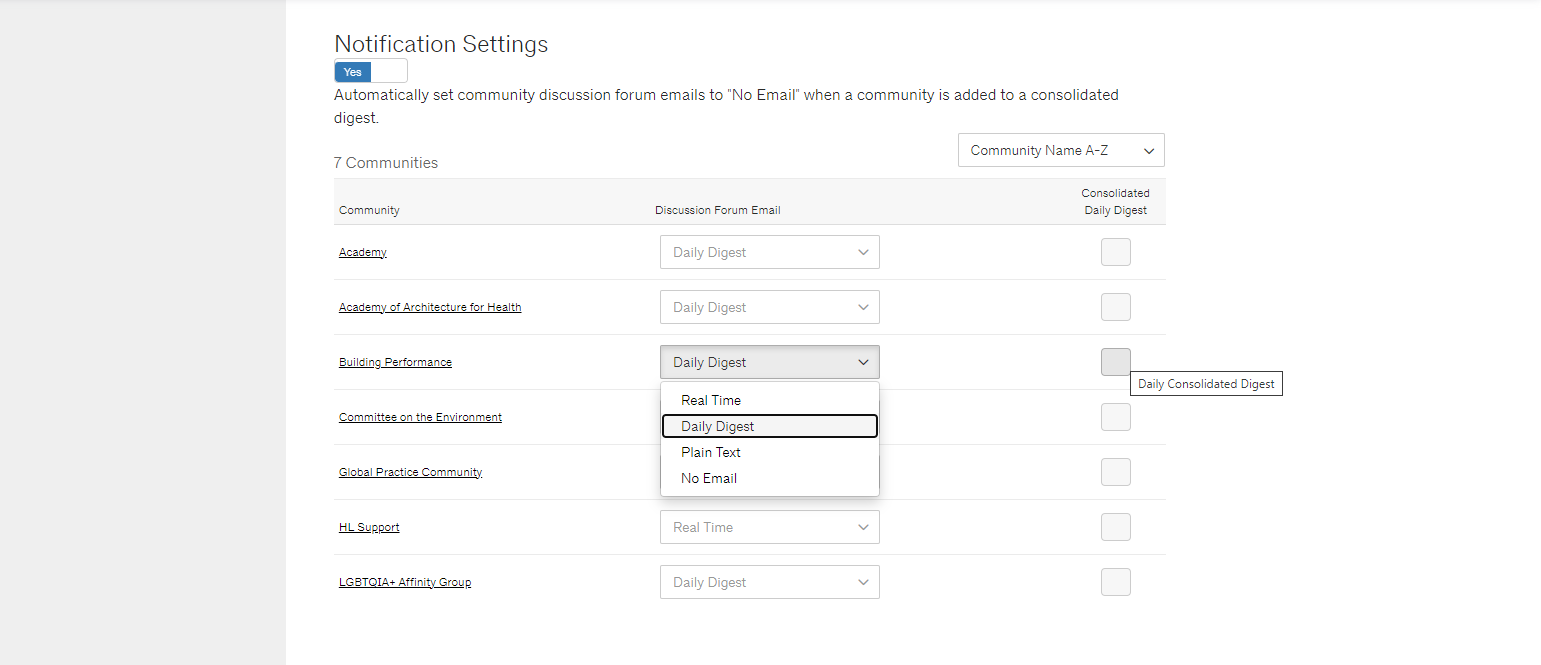
Email Frequency Options
The default email setting is a daily digest for each group you are a member. Here are the frequency options available on AIA Community Hub:
- Real-time: Every time someone posts on the discussion board, you receive an immediate email with their full post.
- Daily digest: You receive all of your community's discussion posts for the day packaged into one email, with a separate email for each community you are a member of. (e.g. 6 communities = 6 digest emails). The daily digest will display ads and current events relevant to each community.
- Consolidated digest: You receive one email each day combining all the groups, with a preview of the posts instead of the full text. The consolidated digest will not have current events or relevant community ads.
Note that you will not receive an email if there were no posts in a day. Some of our more active communities will send 2 or 3 emails a week, while many of our communities currently send 2-3 emails every month or two. The daily digest is the preferred option for most of our members.
How to Change your Email Preferences
You can edit your email preferences from your AIA Community Hub profile. To go directly to your notification settings, you can click here. For step-by-step instructions, continue below:
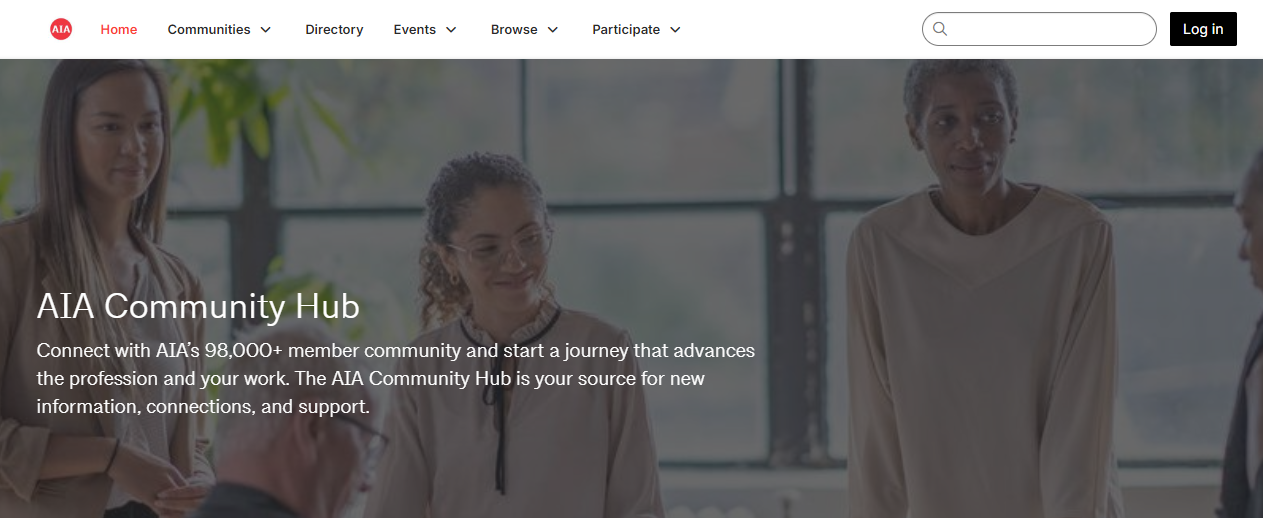
Step 1: Visit AIA Community Hub and access your account by clicking the "Sign in" link on the top right of the black menu bar. If you already have an aia.org account you can enter those credentials on the login page. Otherwise, you can create an account for yourself by selecting "sign-up" for an account under the login fields.
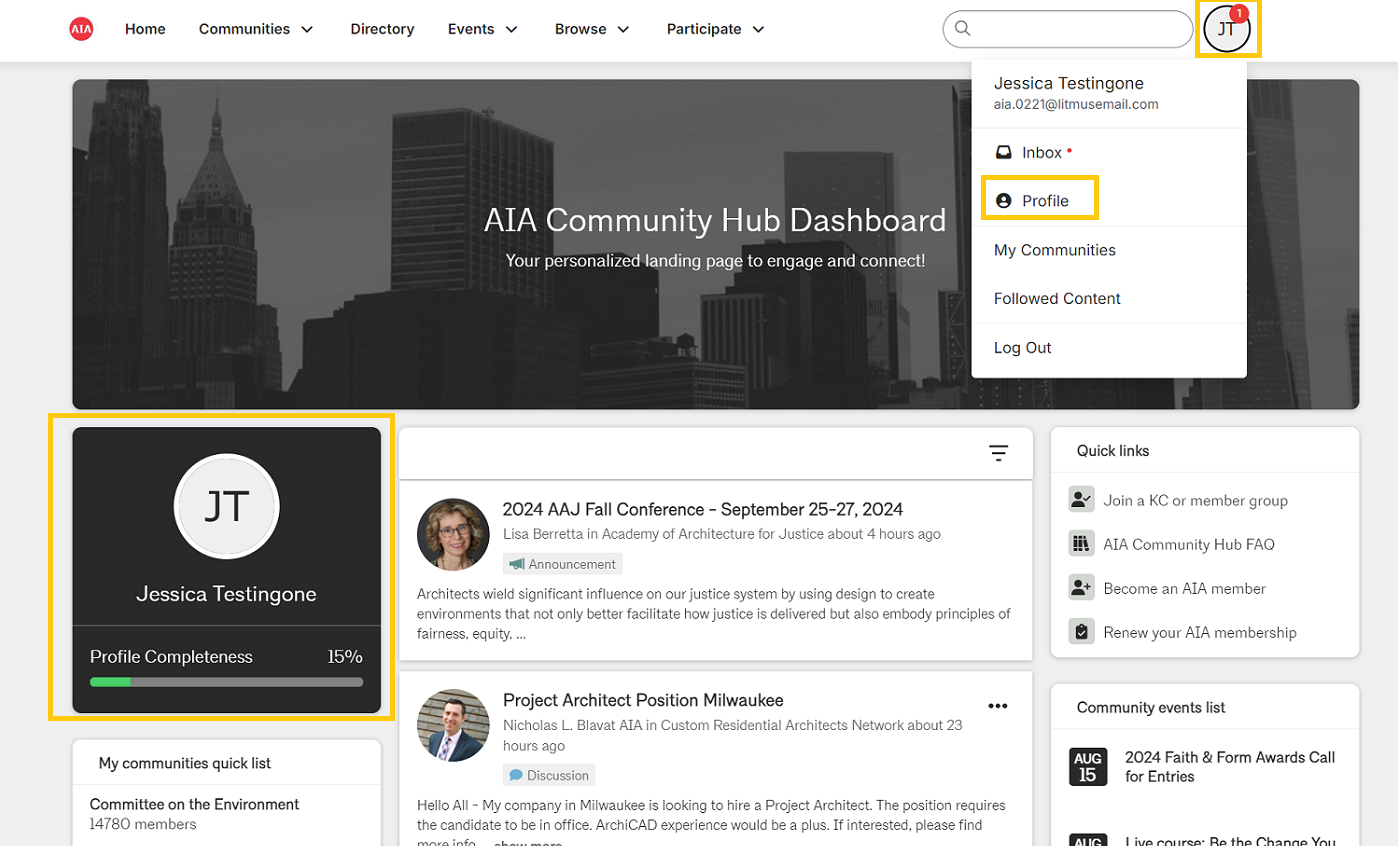
Step 2: On the community homepage, select you profile from your account in the header or from your profile card on the home page.
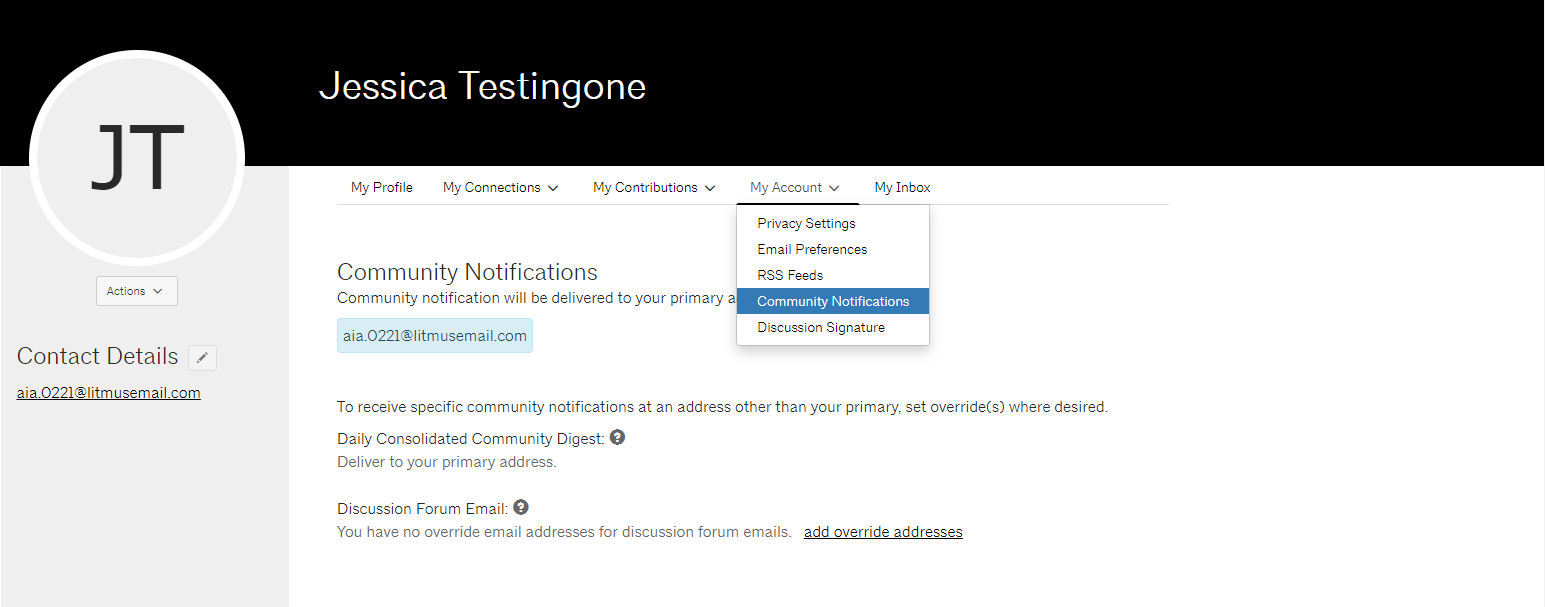
Step 3: Under “My Account” select “Community Notifications”.
Step 4: Under “Notification Settings” you will see a list of your communities. Change your preferences by clicking on your desired email frequency. For a consolidated digest, tick the box for each community you want to include.
Note: If you have recently joined a community, it may take some time for the system to sync. If your communities are not reflected within 24 hours, please contact us at membersupport@aia.org.